Move-Out Settlement
Calculate exactly what a departing roommate owes or is owed using prorated bills
When to Use the Settlement Wizard
Use this tool when a roommate is moving out mid-month and you need a final figure. It starts from their current balance with the house (bills they owe or paid for, and payments made and received), then adds their share of each active recurring bill for the part of the month they lived there — for example, moving out on the 15th of a 30-day month means half their share. One-off bills already in Divvi count in full.
ℹ️ Note: The Settlement Wizard is a calculation tool — it does not automatically adjust any bills or record any payments. You still need to record the final payment in Settle Up manually.
Navigate to Settlement Wizard
Open the More menu in the navigation bar and select Move-Out Settlement (or Settlement Wizard). The page shows a simple two-field form: roommate selector and move date.
Select the Roommate
Use the dropdown to select the roommate who is moving out. All current house members appear in this list. Make sure you select the correct person — the proration calculation is specific to the chosen roommate's share of each bill.
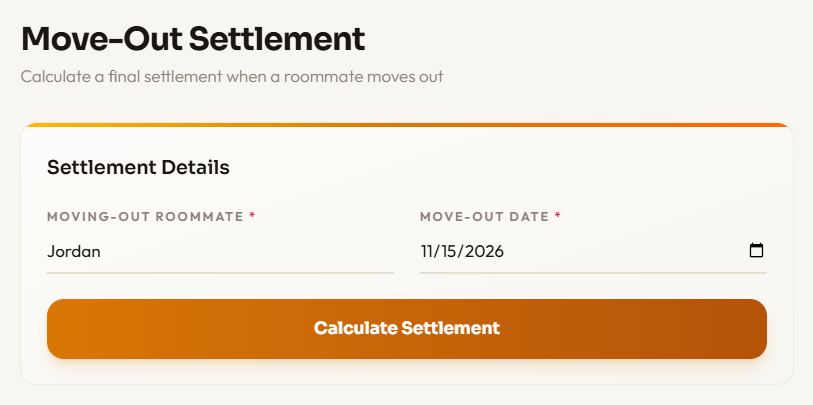
Select the departing roommate and their move-out date.
Enter the Move-Out Date
Enter the last day the roommate will be living in the house. Their share of each active recurring bill is prorated by this date's day of the month: their equal share × (day of the month ÷ days in that month). Everything else in their balance is counted as it is.
⚠️ Warning: The move date is the last day the roommate is responsible for costs. Double-check this date with the departing roommate before running the calculation.
Review the Prorated Breakdown
After clicking Calculate, the wizard shows each recent bill with the proration calculation: full bill amount, the roommate's original share, days in the billing period, days the roommate was present, and the prorated amount they actually owe. Review this list carefully with all parties.
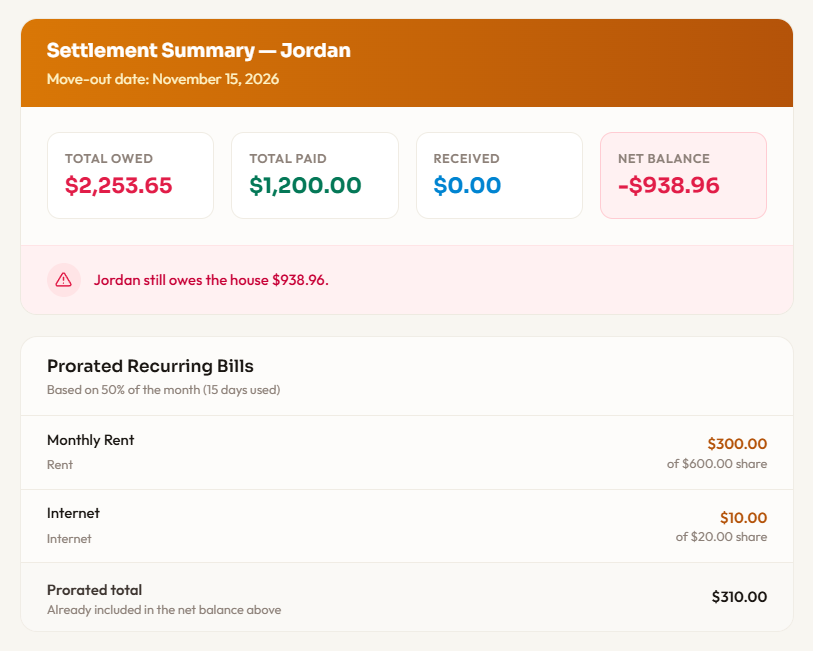
Recurring bills are prorated by the share of the month the roommate was there.
Record the Final Settlement
The wizard shows the net final balance — positive means the house owes the roommate money, negative means the roommate owes the house. Use this amount to record a final payment in Settle Up. Once recorded, the roommate's balance reflects the final settlement.
💡 Tip: Screenshot or copy the full breakdown to share with the departing roommate so everyone agrees on the calculation before transferring money.
Troubleshooting
Calculation shows unexpected amount
Review each bill in the breakdown. Check that the bill dates, amounts, and splits are correct in Bill History. An incorrectly dated bill can skew the proration calculation.