House Setup
Configure your house and manage roommates
Set House Name
In Settings → House, edit the name under House details. Choose something recognizable like '123 Maple St' or 'The Blue House'. This name appears in the header, invite links, and notifications roommates receive.
💡 Tip: Use your address or a nickname your roommates will immediately recognize.
Add All Roommates
Invite everyone who will use Divvi (next steps) — they are added to the house when they join. For anyone who won't use Divvi, go to the Roommates section, type their first name or a nickname and click Add. Roommates added by name appear in bills and balances like everyone else; you record their bills and payments for them. If someone you added by name joins later, Divvi asks them which roommate they are. Once you confirm it under Settings → House → Connect roommates to their accounts, their account takes over that entry, with all of its bills and payments.
⚠️ Warning: You can only remove a roommate if they have no bills associated with them. If they have bills, consider leaving them in the system for accurate history.
ℹ️ Note: You can edit a roommate's name anytime by clicking the pencil icon next to their name.
See Who Has Joined
In Settings → House → Roommates, everyone who joined the house with their own Divvi account has a Joined badge. They log in to see their own balances, bills, and notifications — each person gets their own view of the household finances. Roommates without the badge were added by name and can't log in.
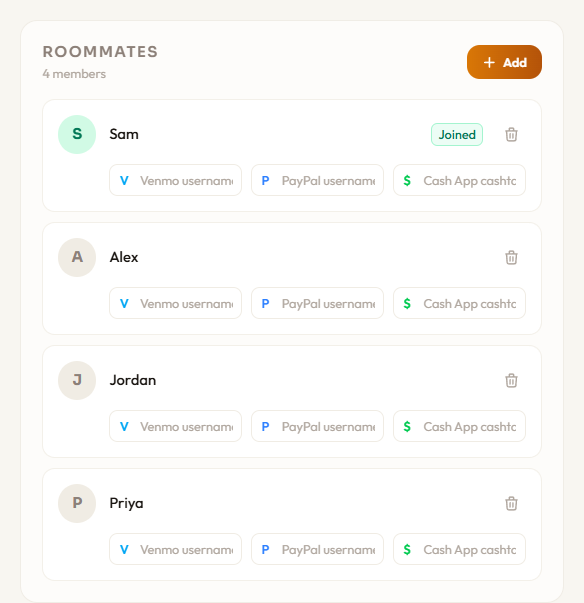
A roommate who has joined the house with their own Divvi account shows a Joined badge.
Share Invite Code
The 8-character invite code is in Settings → House → Invite Code. Click 'Copy link' (or Share, on a phone) and send the link by text or chat — it opens a page showing which house they're joining, and after they sign up or sign in they're added to it. You can also send the code itself with Copy, email it with Email, or show a QR code. Someone who already has an account can paste the code under 'Have an invite code?' on their house list.
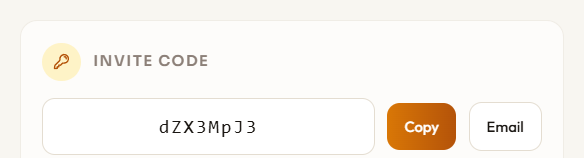
Share this invite code with roommates to bring them into the house.
Regenerate Code (if needed)
If the code was shared with someone who should not have access, click 'Regenerate' to create a new code. The old code is immediately invalidated.
⚠️ Warning: Regenerating invalidates the old code instantly. Tell any roommates still trying to join that they need the new code.
Troubleshooting
Roommate can't join with invite code
Send them the invite link rather than the code, so nothing has to be typed. If they type the code, it must be the exact 8 characters — it is case-sensitive. If issues persist, regenerate the code in Settings and share the new one.
Can't remove a roommate
Roommates can only be removed if they have no bills in the system. Delete all bills associated with that roommate first, or keep them for historical accuracy.