Achievements
Earn badges for hitting milestones in Divvi — a fun way to celebrate good habits
Navigate to Achievements
Open the More menu in the navigation bar and select Achievements. The page shows all available badges, with earned ones highlighted in amber and locked ones shown in gray. Each badge has a name, icon, and description of how to earn it.
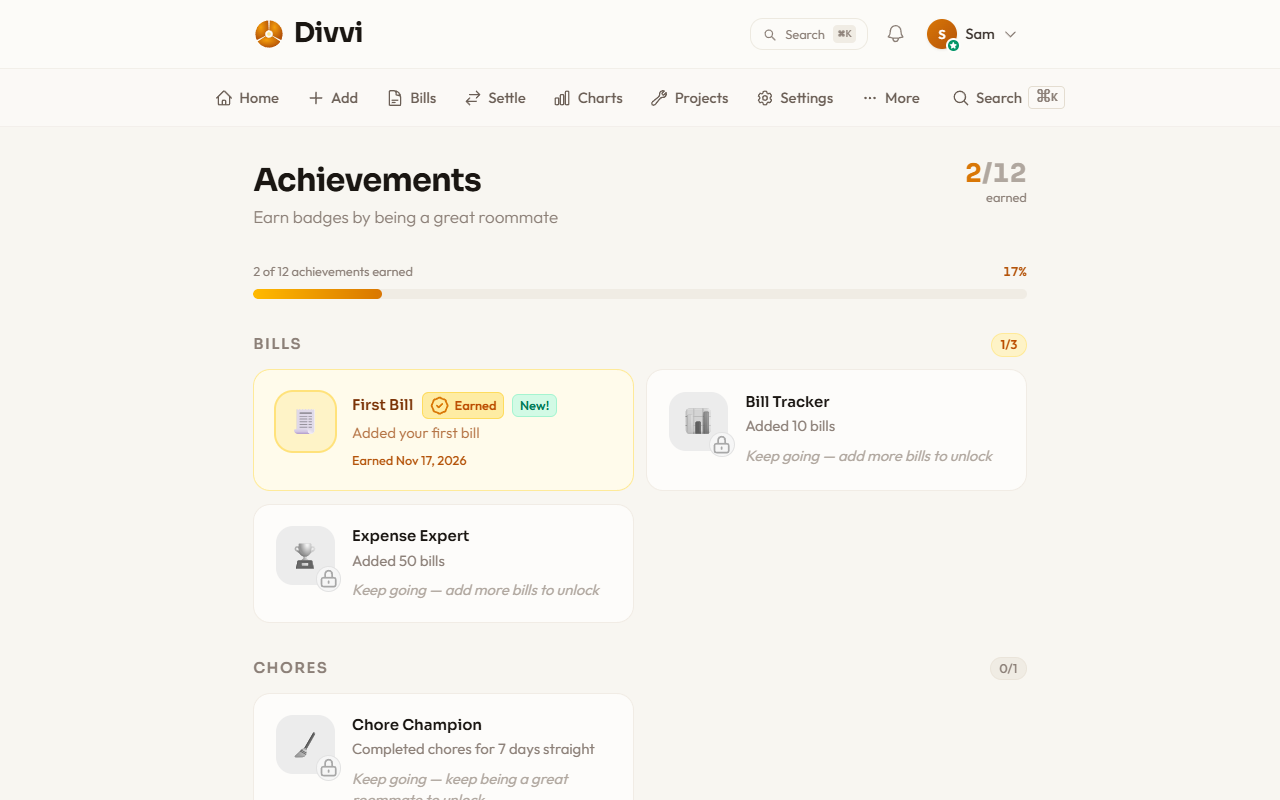
Earned achievements are highlighted in amber with the date earned. Locked ones show a padlock and how to unlock them.
Understanding Earned vs Locked Badges
Earned badges show in amber with the date you earned them. A 'New!' ribbon appears on badges earned in the last 7 days. Locked badges are shown in gray with reduced opacity. Hover over any badge to see exactly what action triggers it.
💡 Tip: Newly earned badges within 7 days show a special 'New!' ribbon — check Achievements after a big milestone.
How Achievements Are Earned
Achievements unlock automatically based on your activity in the app — there's nothing to configure or opt into. Examples: adding your first bill earns the 'First Bill' badge, settling up for the first time earns the 'Settler' badge, maintaining a chore streak earns streak badges, and so on. The system checks for new achievements whenever relevant actions occur.
ℹ️ Note: Achievements are per-user, not per-house. Your badges go with you across all houses you belong to.
Achievement Categories
Achievements cover different aspects of app usage: bill tracking milestones, payment history, chore consistency, streak records, and engagement with house features like polls, announcements, and pulse surveys. There are also 'loyalty' achievements for being a long-term user.
Use Achievements as Motivation
Achievements are designed to encourage good habits: paying bills on time, recording all expenses, keeping chores consistent, and communicating with roommates. If you're close to a badge, use that as motivation to complete the action. The full badge list shows what's possible.